
Hybrid Working Tools: Top 9 Hybrid Tools For Flexibility
The article discusses the concept of a hybrid workplace—where employees alternate between remote and in-office work to maximize flexibility and productivity—and highlights the top nine hybrid working tools that companies and facility managers should adopt to effectively plan space, enhance flexibility, and improve communication and collaboration in this new work model.
Hybrid working tools: Top 9 hybrid tools for flexibility
By Nick Mason • 8mins read • June 22, 2021
Table of contents
- Hybrid working tools for space planning
- Hybrid work tools for flexibility
- Hybrid work tools for better communication and collaboration
- To build a hybrid workspace, you need the right hybrid working tools
What hybrid working tools should companies and facility managers (FMs) embrace to foster greater productivity and flexibility?
The hybrid workplace is the new normal. So before you consider different technology options, it’s essential to know what a hybrid workplace is first. A hybrid workplace is a balance of remote working teams and in-office working teams with the goal of removing unnecessary or outdated restraints on workplace functionality.
In other words, the goal of a hybrid workplace isn’t for employees to feel boxed into one kind of work (remote work or office work). Instead, it offers endless options for employees to do their best work, wherever that might be.
A truly hybrid workplace typically observes a staggered schedule, where employees rotate between working in the office and remote work. Some hybrid workforce formats also include a blend of full-time, remote workers as well as full-time, in-office employees.
Flexible work arrangements have already become a crucial part of employee retention. It’s become something many employees and job searchers are prioritizing when determining where they want to work. In fact, a study from PWC found that 55% of employees would prefer to work remotely at least three days per week.
People want to work where they feel trusted. Flexible workplaces create space for that trust to form.
With that said, adopting a new workplace model like this will require the right hybrid working tools and technology. But the question is, which ones?
This article explores the best hybrid working tools that companies and facility managers should consider when transitioning to a hybrid workplace model.
Hybrid working tools for space planning
Office neighborhoods promotes hybrid flexibility and teamwork
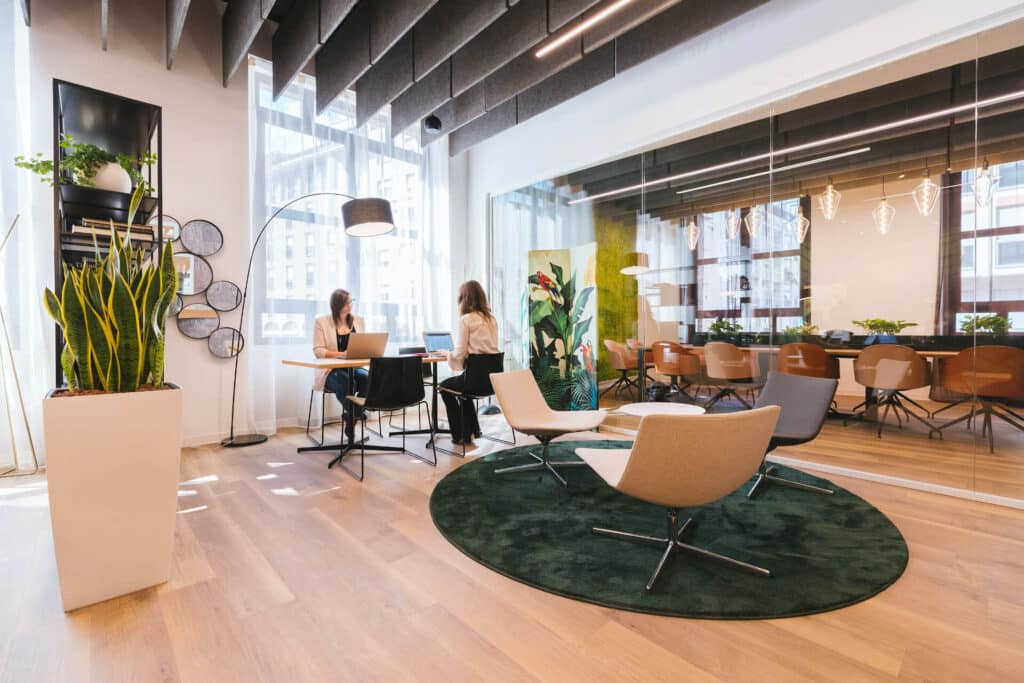
Office neighborhoods are spaces within an office, which people can use for specific functions or tasks, like quiet, independent work, or team collaboration. Rather than assigning employees a desk, assign a neighborhood instead to allow employees to determine where they want to sit.
There are several benefits to office neighborhoods, including:
- Hybrid work “zones” for each department
- Dedicated desks for agile and activity-based working
- An improved employee experience across the board
- Decentralized seat management, which can save the facilities team countless hours of time
Office neighborhoods are a great way to plan your space to ensure maximum efficiency and productivity.
Stack planning helps plan the hybrid workplace
Stack planning is a facility management technique used to improve space use, reorganize departments and floor plans, configure seating arrangements, and more. This method is excellent for understanding how your space is being used and where improvements could be made.
With stack planning, facility management professionals can enjoy several benefits, such as:
- See a birds-eye view of each floor plan and department location within the building
- Drag-and-drop teams and departments to reconfigure your space in just a few clicks
- Create floor plans that scale with your organization as you grow
Stack planning is vital when building a work environment for hybrid teams. With this method, facility managers can see how their space is currently being used. Then they can determine how best to reconfigure it to fit a staggering employee work schedule.
For example, if a certain number of employees are remote employees, you can liquidate those empty desks into collaborative spaces for employees who are working in the office. No more wasted space!

Hybrid work tools for flexibility
Desk booking and hoteling embraces hybrid
A huge component of the hybrid workplace is flexibility with where you work. That’s where hot desking and hoteling come into play as essential flexible workplace technologies.
Hot desking is an office system that lets employees reserve an open desk rather than work from the same assigned desk each day. Typically, people can make desk reservations on a first-come, first-serve basis.
For example, an employee may choose an open desk in the “quiet” work areas if they need to dive into deep work or choose a desk in a busier area of the office if they want to collaborate with others.
On the other hand, Hoteling is a bit different from hot desking despite the two often being used interchangeably. Hoteling allows employees to book desks far in advance, whereas hot desking is done in real time.
Because hoteling allows employees to book their desks in advance, they can plan how they’ll spend their time in the office, knowing they have a dedicated space. If your company uses a shift work system, for example, employees can choose where they plan to sit during their time in the office before their shift.
Hot desking and hoteling management software are core components of a truly hybrid workplace. Both give your organization the power to be flexible with where and when employees work.
Reporting and analytics provides insights
Data is critical when it comes to creating the best hybrid workplace for your organization. Without data to guide you, there will be much more trial and error. This is especially true for large companies that are responsible for hundreds of employees.
Reporting and analytics software helps facility managers maintain a pulse on how spaces are used on the day-to-day. This software is also important for forecasting company growth (and determining how much space you’ll need in the future as you grow), cutting costs and viewing budget allocation, and understanding how your space is being used and where improvements could be made.
There are three types of reports facility managers can use to improve their spaces:
- Operational reports: With this kind of report, facility managers can streamline tasks like monitoring building systems and facility costs, preventative maintenance, and more.
- Space utilization reports: Facility managers can use space utilization reports in real time to see how people are using a building or facility.
- Badge integration: If your company uses a badge system, each time employees swipe a badge to access the building, facility managers receive insights into employee attendance. So you know who’s in the office at any given time. This is especially useful for shift work and making sure the correct number of employees are present at a time.

Hybrid work tools for better communication and collaboration
Slack integrates with office planning software
Asynchronous and synchronous communication — and knowing how to balance the two — is an important component of building a hybrid workplace.
Because some employees may be working remotely more than others (depending on your company’s flexible work setup), having the right communication tools in place is key. Slack is one such tool that can keep the lines of communication open.
Slack is a popular workplace communication tool popular with many companies across industries. It can do it all, from check-ins and casual or one-off conversations with team members to file sharing and project tracking.
Slack lets you create “channels” for specific projects, private conversations, and general employee communication. For example, you could create a channel for a big quarterly project with the key stakeholders to keep everyone updated, on track, and collaborative.
Because Slack integrates with office planning software, like OfficeSpace, it can work smarter for your organization. For example, this particular integration allows employees to view the company’s Visual Directory and locate resources or people faster.
In addition, employees can also do things like manage desk bookings, find and request rooms, submit requests, and complete health safety forms, all from Slack.
Microsoft Teams keeps employees connected
Similar to Slack, Teams is an instant messaging tool for the workplace. It’s a great way to keep employees connected and in the loop regarding workflows and what office resources are available.
You can create “teams” for different projects, departments, or interests and toggle between them. Teams make it easy to create new teams with templates. This can come in handy if you’re collaborating with many people.
Within each team, you can create channels, just like in Slack. Channels help keep conversations organized by acting as a central place of communication. For example, employees can add attachments to messages, reply directly to comments, and tag coworkers directly in a thread. This way, you can organize all your communication, whether asynchronous or synchronous, in one place.
Teams is bundled with Microsoft 360 Business or Enterprise plans. So if your company is already using those platforms, Teams is a no-brainer to add to your tech stack.
Teams has experienced quite a bit of evolution since it was made available in 2017. In addition to working with Microsoft apps like Excel and Skype, Teams also integrates with many popular workplace apps, like Asana, Trello, Zoom, and more.
Zoom helps remote and in-office employees collaborate
It seems as though everyone in the world is familiar with Zoom these days. The go-to video conferencing tool was popular before the pandemic, but now it’s more widely used, helping with both communication and company culture.
Zoom eliminates the need for meeting rooms and in-person, face-to-face meetings. It makes collaborative work more manageable, which is central to a flexible workplace. This is particularly useful when dealing with different timezones or when putting on webinars for a remote audience. With Zoom, companies can do a host of actions, including:
- Take calls from anywhere and on any device—tablet, laptop, desktop, or phone
- Share screens (instead of sharing a physical whiteboard), attach files, and chat while on a Zoom call
- Schedule meetings and RSVP to invitations in a few clicks, either within native Zoom or through your calendar suite
- Record meetings and convert conversations into transcripts
Zoom also has a cloud-based phone offering, which can replace your entire enterprise phone system for even more communication options. What’s more, Zoom integrates with hundreds of popular workplace apps, so your team can stay connected.
For example, with the OfficeSpace/Zoom integration, employees can use the Visual Directory tool to find and reserve rooms and conference lines instantly, all from one place.
Asana streamlines project management
Every well-oiled organization uses a project management system of some kind. These types of tools keep the office organized, on budget, and on target.
Asana is a popular project management tool option—especially for remote teams—and for a good reason. Not only does it integrate with other essential hybrid working tools like Google Docs, Zoom, and Slack, but its intuitive interface makes it easy to track the status of projects.
Asana allows you to share files with your team, track project statuses, and view your team’s growth in real-time. In addition, it streamlines delegation with tagging and assigning features. This way, everyone on your team knows exactly who’s responsible for what and when.
You can view your project in a timeline, Kanban board, calendar, or list at the project level. This helps you stay on pace with each project. It also serves as a single source of truth for whatever you’re working on.
With Asana, you don’t have to guess how your team is performing or how a project is progressing. Instead, real-time reporting lets you see how things are going and where potential pitfalls or roadblocks occur. Identifying and overcoming issues — whether in employee communication or within a project — is key to productivity.
Google Docs enhances hybrid teamwork
Arguably one of the most critical collaboration tools across any workplace is Google Docs. The cloud-based word processing platform works like Microsoft Word or Apple Pages, but each document lives natively on the cloud.
Google Docs helps eliminate version control issues. Any time someone makes a change to a document, it auto-saves, improving overall teamwork. Team members can work on the same document simultaneously, either together on a video call or asynchronously.
With Google Docs, employees can create new documents from templates or a blank page. In addition, docs are super easy to share. They also have helpful sharing permissions so you can be sure the right people have access to the right documents.
You can also export Docs to different file types like PDF, Pages, and Word files. This makes collaboration and sharing easy. It also provides access to documents on your laptop, tablet, or mobile device.

To build a hybrid workspace, you need the right hybrid working tools
The future of work is hybrid, which enhances work-life balance in addition to increasing productivity. So with the hybrid work model here to stay, it’s imperative companies set themselves (and their employees) up for success with the right hybrid working tools.
While there are tons of tools to choose from, selecting the combination of technology that works best for your company is important. We recommend opting for hybrid working tools with great integrations. Integrations mean your tech stack is working smarter for you so that you can focus on your to-do list.
A good litmus test for a tool is to ask the following question… Is my organization able to be fully flexible with how they work?
Looking for help as you plan your return to the office? Download our free checklist to help you get started!
Subscribe to our blog to get workplace and facility management insights delivered right to your inbox!
Photos: Copernico, Eloise Ambursley, Sigmund, Christin Hume

Author
Based in Victoria, BC, Nick is the Director of Product & Client Marketing at OfficeSpace. He's passionate about connecting people with solutions that enable workplaces to thrive in the new world of work.
Get exclusive insights on workplace trends
utm_content
utm_source
utm_term
utm_medium
Lead ID
- By clicking here, you agree OfficeSpace Software may contact you regarding relevant products & services. You can unsubscribe at any time. Click here for our Privacy Policy.
Get more out of your space, and connect the people in it
Continue reading

Workplace Technology
What is office wayfinding? A guide for hybrid workplaces
By CJ Frey• 11mins read

Workplace Technology
Room scheduling software: The checklist facility teams actually need
By Sean Wiese• 13mins read

Workplace Technology
What is office hoteling software? The complete playbook for hybrid offices
By Beckett Johnson• 11mins read
Qualified