
Workplace Experience Software for Hybrid Employees
OfficeSpace is a workplace experience software designed to enhance hybrid employee engagement by integrating people, space, and experience, enabling teams to plan, connect, and navigate the office environment efficiently on any device, with rapid deployment in 35 days or less and trusted by over 2,000 global organizations including major companies like BCG, KPMG, Capital One, Moderna, and OpenAI.
Workplace Experience Software
Bring people, space, and experience together.
Give employees an experience that makes the office worth the commute. OfficeSpace helps teams plan, connect, and navigate the workplace, on any device.
Get up and running with OfficeSpace in 35 days or less.
OfficeSpace powers workplace excellence for 2,000+ teams globally
NextPrevious
Help employees make the most of every day
Make it easy for employees to plan better in-office days, whether they’re connecting with teammates, booking the right desk, or finding their way across a new floor.
Desk and room booking from anywhere
OfficeSpace makes it easy for employees to book any space on mobile or desktop, or with integrations for the tools they already use, like Slack and Teams.
Automatic check-ins and live updates
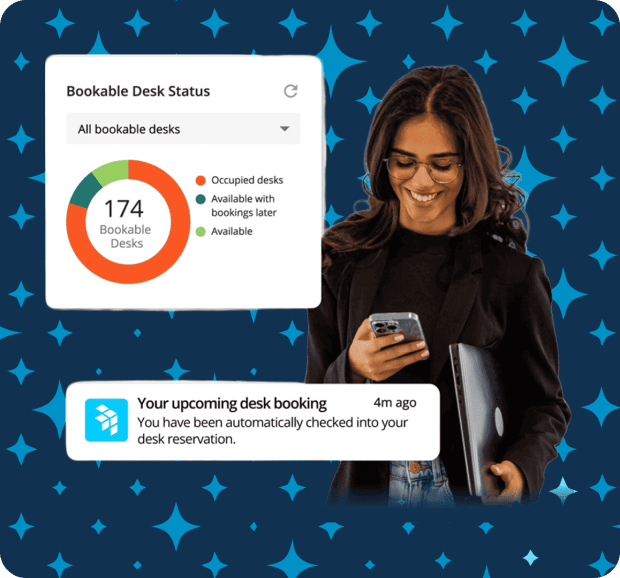
Presence data signs employees into assigned desks when they arrive, automatically books meeting rooms when they walk in, and shows live availability on the floor plan. Learn more.
Who’s in and where
See who’s on-site, where they’re sitting, pin your go-to teammates, and plan in-office days around your colleagues. Learn more.
Announcements to keep teams in the loop
Share updates that meet employees where they are based on presence, location, or schedule. No inbox clutter. Just relevant info, delivered in context. Learn more.
Easy office wayfinding
Use live floor plans and search to find rooms, coworkers, or amenities across the office or campus. Learn more.
Facilities requests with a pin drop
Drop a pin on the floor plan, attach a photo, and submit maintenance requests to the team, then see the status in real time.
“Slack is a critical tool for every employee at Procore, so the fact that OfficeSpace integrates with Slack has saved our workforce a huge amount of time. The /find command has been critical for helping 2,100 employees around the world find company resources and get from A to B.”
Scott Moitoza
Senior Director of Real-Estate and Facilities
“Before we launched OfficeSpace internally, we didn’t have visibility into who sat where, and there was no way to track when people moved. We needed more accountability, better data, and accurate reporting to keep up with Shopify’s rapid growth.”
Alicia Murrell
Workplace Experience Manager
Design spaces people actually want to use
With OfficeSpace, you can see how teams work best together and create spaces that support connection, focus, and flexibility.
Real-time space visibility and reporting
View live floor plan updates, explore usage by site, floor, or department, and share trend reports that support smart planning decisions.
Seat types for every team and schedule
Support assigned seats, hot desking, hoteling, or shared seating, all in one system.
Modular team neighborhoods
Create flexible zones for teams or activities and adjust boundaries as teams grow or shift.
Smart adjacencies (Coming Soon)
Design for how teams actually work with AI that spots collaboration patterns and generates stack plans. Learn more.
Workplace experience features in OfficeSpace
Everything you need to create effective hybrid work solutions.
Unlike:
Outdated tools with steep learning curves and disconnected modules with poor customer support
Point solutions that only address one aspect of hybrid work, rather than the entire workplace experience
Complex platforms that require lengthy onboarding and slow time to value
OfficeSpace solutions help hybrid teams get up and running quickly (35 days on average), seamlessly plan in-office days together, stay productive and connected at the office, and reduce tension between organizations and employees to boost business impact.
With the right technology to manage hybrid work, employee satisfaction and retention improve, cost savings increase, and teams have data to make workplace decisions and drive results.
REVIEWS
Your success is our success.
Read what other clients have to say on G2—the world's most trusted software marketplace.
“With a hybrid office, it's difficult to know who is coming to the office and when. OfficeSpace can book a desk if they don't have one already assigned. We're in a new location than before the shutdown, so it has been hugely helpful for assisting employees finding things around the office.”
Sarah R.
Office Manager
“OfficeSpace has allowed our company to effectively work in a hybrid office system. During the pandemic, we outgrew our offices, but OfficeSpace provides the easiest solution to ensure people can work where they want, whenever they want.”
Verified G2 User
“OfficeSpace has played a vital role in our return to campus and new hybrid desk booking environment. It is extremely easy for employees to quickly identify available desks that meet their needs and book them for use when they are on site.”
Dustin G.
IT Director
“OfficeSpace is an extremely user-friendly tool and provides great visibility into most aspects of our facilities. The mobile app is intuitive, and in general, OfficeSpace has added significantly to our new user experience as we transitioned to a hybrid model with large areas of hoteling.”
Verified G2 User
“OfficeSpace has helped us successfully utilize hybrid workstations which has cut down the need for assigned desks for every employee. Booking and check-in are easy and can be done from your phone or computer. The office maps are easy to read and allow employees to search for people, rooms, and objects like printers, fire extinguishers, etc.”
Tiffany E.
Systems Administrator
RESOURCES
Insight from industry experts
Posts
What is workplace experience and how do you measure it?
Product Tours
Desk booking
Product Tours
Microsoft Teams
FAQ
Questions? We're here to help.
Browse workplace experience FAQs. Don't see what you're looking for? Contact us.
What is workplace experience?
Workplace experience encompasses everything that contributes to an employee’s working environment, including how much they’re able to focus and complete tasks, how easy it is to collaborate with coworkers either remotely or in person, their physical spaces like desks and meeting rooms, and the amenities and resources at their disposal. As hybrid work becomes the new norm, companies are rethinking how to accommodate an empowered workforce. Employees know how they work best, and an ideal workplace experience provides them with the resources they need to get that work done.
What are the benefits of improving workplace experience?
When companies use an employee experience platform to provide flexible working options that meet employee needs, they can attract and retain top talent and maintain a competitive edge in the market. The easier it is to get work done, with the right resources and technology, within spaces that foster both deep work and collaboration, the more likely employees are to stay engaged and satisfied overall.
What is workplace experience software?
Workplace experience is a function of workplace management software. This tech provides workplaces with every tool to create better employee experiences and optimize their workspaces, including interactive floor planning, communication, desk and meeting room booking, wayfinding, visitor management, and real estate management. Workplace experience software provides insights and analytics for informed decision-making and optimized budgets.
Why invest in workplace experience software?
Facilities managers have a lot on their plates. Workplace experience software helps streamline operations by centralizing and automating cumbersome tasks. By alleviating the burden on the facilities team, they can focus on higher-level functions with greater impact.
Workplace experience software makes it easier to boost employee engagement and satisfaction. It can help reduce workplace friction by replacing manual check-ins with WiFi, badge, and sensor technology, providing wayfinding tools to make the in-office experience smoother, enhancing productivity with flexible work set-ups that support collaboration as well as focus time, and allowing employees to design their workday with easy desk-booking at their preferred location or beside their favorite colleagues.
The best workplace experience software meets employees where they are by integrating with the apps and technology they already use. Without steep learning curves or yet another tool in the tech stack, they can adopt the software quickly and improve their own workplace experience immediately.
How do you motivate employees in a hybrid workplace?
Hybrid work offers more flexibility for employees, empowering them to control their own workday and balance focus time with collaboration. To help employees feel more motivated and successful in a hybrid environment, it’s critical to provide them with what they need to get their best work done, whether they are in or out of the office. This includes a designated workspace, access to amenities, and the ability to connect with colleagues. Workplace experience software centralizes the tools and resources that make hybrid possible, like the ability to find and book meeting rooms equipped with video conferencing to ensure both in-person and remote employees stay connected, and mobile accessibility so that employees can manage their workdays from anywhere.
How do you make a hybrid workplace successful?
An inclusive, supportive environment powered by technology is the hallmark of a successful hybrid workplace. By leveraging workplace experience software, organizations can successfully orchestrate hybrid work and gain insight and feedback on the overall functionality of their workspaces. This software provides the ability to design productive spaces, receive and approve requests for essential facilities, ease the transition back to the office, and track the utilization of spaces and amenities to make better business decisions.
Get more from your space, and connect the people in it
With intuitive tools to plan spaces, coordinate in-office days, manage desks and rooms, and optimize real estate portfolios—all in one platform for modern work.